portfolio terminal
Security notes
Why Kerberos is fundamental for a SOC analyst
A defensive look at Kerberos: following TGTs, service tickets and Windows logon events to understand authentication in Active Directory.
As a security person, you probably have heard about Kerberos before. Kerberos is one of those technologies that can look unnecessarily complicated when you first encounter it. There are tickets, service principals, domain controllers, encryption types, authentication exchanges, and a long list of Windows event IDs associated with it. For me, from a defensive perspective, Kerberos is one of the most important mechanisms behind authentication in a Windows Active Directory (AD) environment, and this is exactly why it is relevant to security monitoring and incident investigation.
A large part of SOC work ultimately revolves around identity. So, you want to know exactly which account authenticated, from which system, to which service, at what time, etc., and whether that behavior makes sense. Kerberos sits directly in the middle of those questions.
When a user authenticates to an AD domain, the domain controller (DC) acts as a trusted intermediary. The user first obtains a Ticket Granting Ticket, commonly called a TGT. That TGT can then be used to request service tickets for specific resources such as a file server, SQL server, web application, or another domain service. All this matters from a security perspective, because these authentication exchanges generate telemetry, and as a SOC analyst we love telemetry.
The following is a simplified Kerberos exchange for accessing a file share:
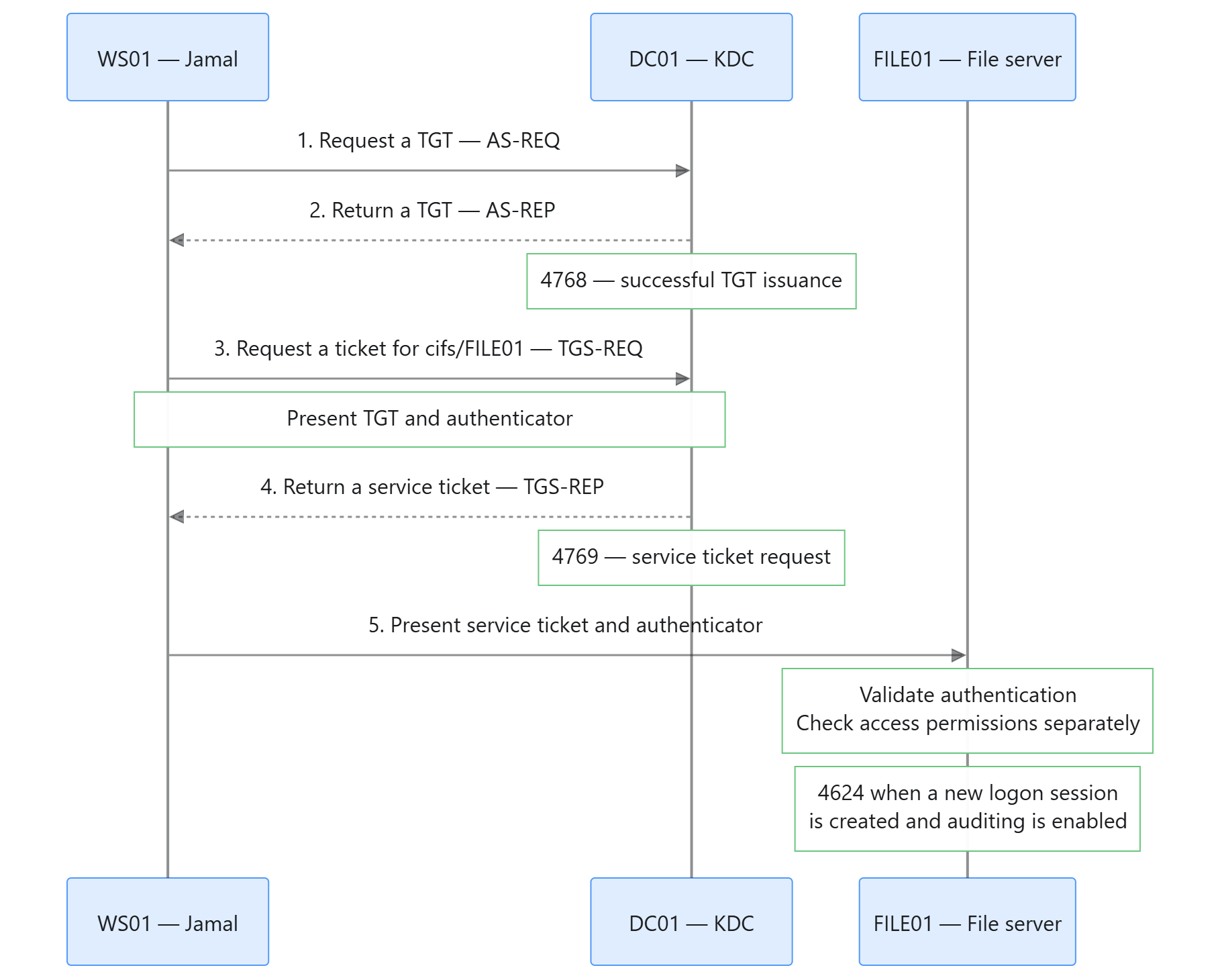
In the example above, I (Jamal) am using a domain-joined workstation, WS01, and want to access a shared folder on FILE01. Assuming the required tickets are not already cached, the exchange follows these steps.
1. Request a TGT
The Kerberos client on WS01 sends an AS-REQ to the Key Distribution Center (KDC), which runs on DC01. In a typical password-based exchange, pre-authentication data helps verify the account without sending its password in plaintext.
2. Receive a TGT
After successful validation, the KDC returns an AS-REP containing a TGT, and also the associated session-key information. Windows caches the TGT and uses it to request a different type of ticket: service tickets. This happens without asking Jamal/me for my password again.
If auditing is enabled, successful TGT issuance generated Windows event 4768 on the domain controller. This event tells us which account obtained a TGT and where the request originated. It does not establish access to a particular source.
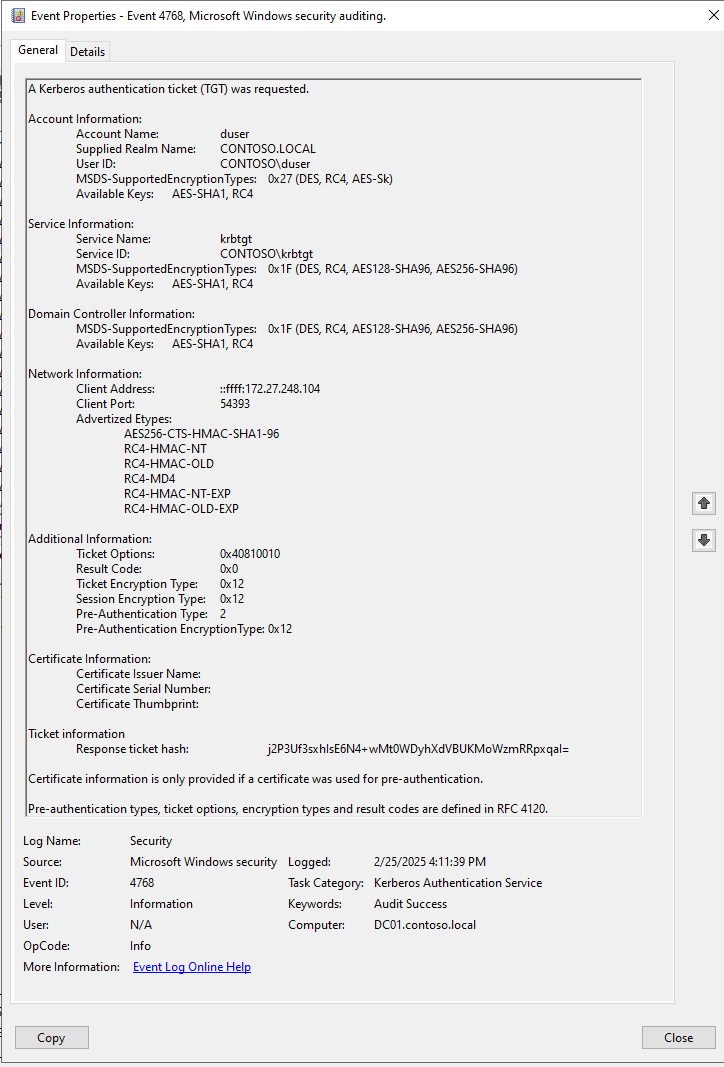
Source: Microsoft documentation — Event 4768.
3. Request a service ticket
To connect to the file server, the workstation sends a TGS-REQ for the service identified by an SPN such as cifs/FILE01. The request includes the TGT and an authenticator. The authenticator is a small encrypted structure that proves the client actually possesses the Kerberos session key associated with the TGT.
For the SOC analyst, this adds another important piece of context: which service is the account trying to authenticate to, and does that fit its expected activity? Other important questions to asks could be:
- Is the number of service-ticket requests normal for this account?
- Is the target system one the user would normally need to access?
- Or is the request occurring at an unusual time?
4. Receive a service ticket
The KDC returns a TGS-REP containing the service ticket. Service-ticket requests are recorded through event 4769 on the DC, when auditing is enabled.
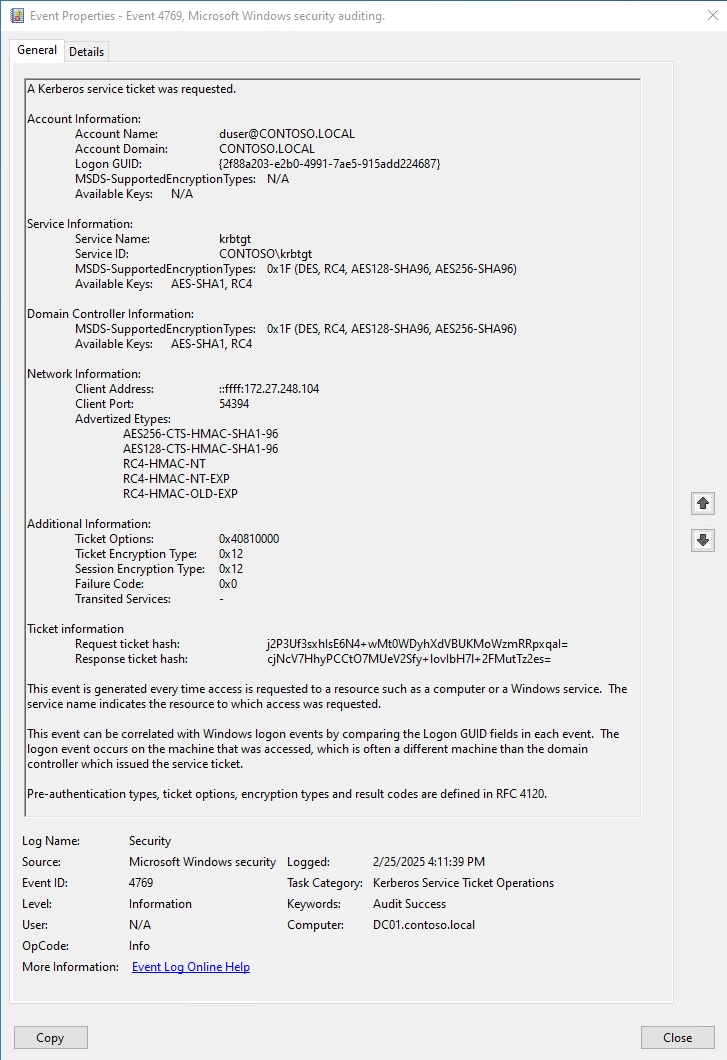
Source: Microsoft documentation — Event 4769.
Here it is important to check the outcome, because a request can fail. Even a successfully issued ticket does not prove that it was subsequently used.
5. Authenticate to the file server
The workstation presents the service ticket and an authenticator directly to FILE01. The server validates the authentication and separately checks Jamal’s permissions.
A newly created Windows logon session can generate event 4624 on the destination server. This event ID tells you that an account successfully was logged on:
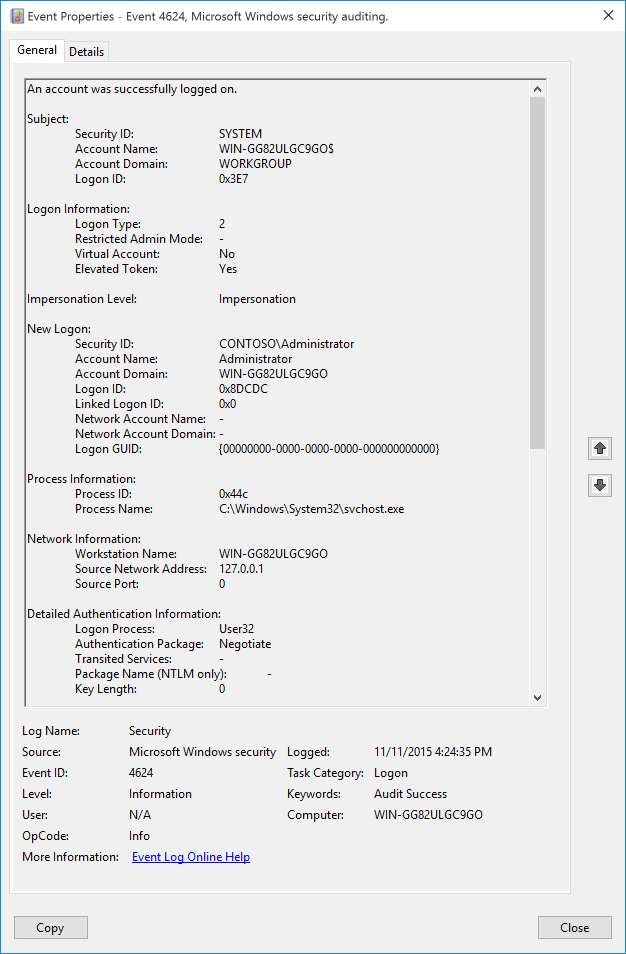
Source: Microsoft documentation — Event 4624.
File-share access typically involves Logon Type 3 (Network Logon - A user or computer logged on to this computer from the network.) Here you should check the Authentication Package field to confirm Kerberos, because 4624 also covers other authentication methods.
Successful authentication does not necessarily mean access was granted, or that a file was read.
For me as a SOC analyst, the value comes from connecting these stages: 4768 for TGT issuance, 4769 for service-ticket requests, and 4624 for successful logon sessions, among other events. Tickets and sessions can be reused, so these events will not always appear as a fresh, consecutive sequence. But understanding this helps us recognize both suspicious and normal behavior.
The importance becomes even cleared when looking at common AD attacks. Techniques such as Kerberoasting, AS-REP Roasting, Pass-the-Ticket, Golden Ticket attacks, Silver Ticket attacks, and delegation abuse all rely on different properties of Kerberos. Without understanding the fundamentals of Kerberos, these attack names can seem like unrelated techniques. However, once you understand how Kerberos works, many of them become logical variations on the same underlying authentication model. This is why protocol knowledge is fundamental, because you would be memorizing seemingly unrelated different event IDs otherwise.